
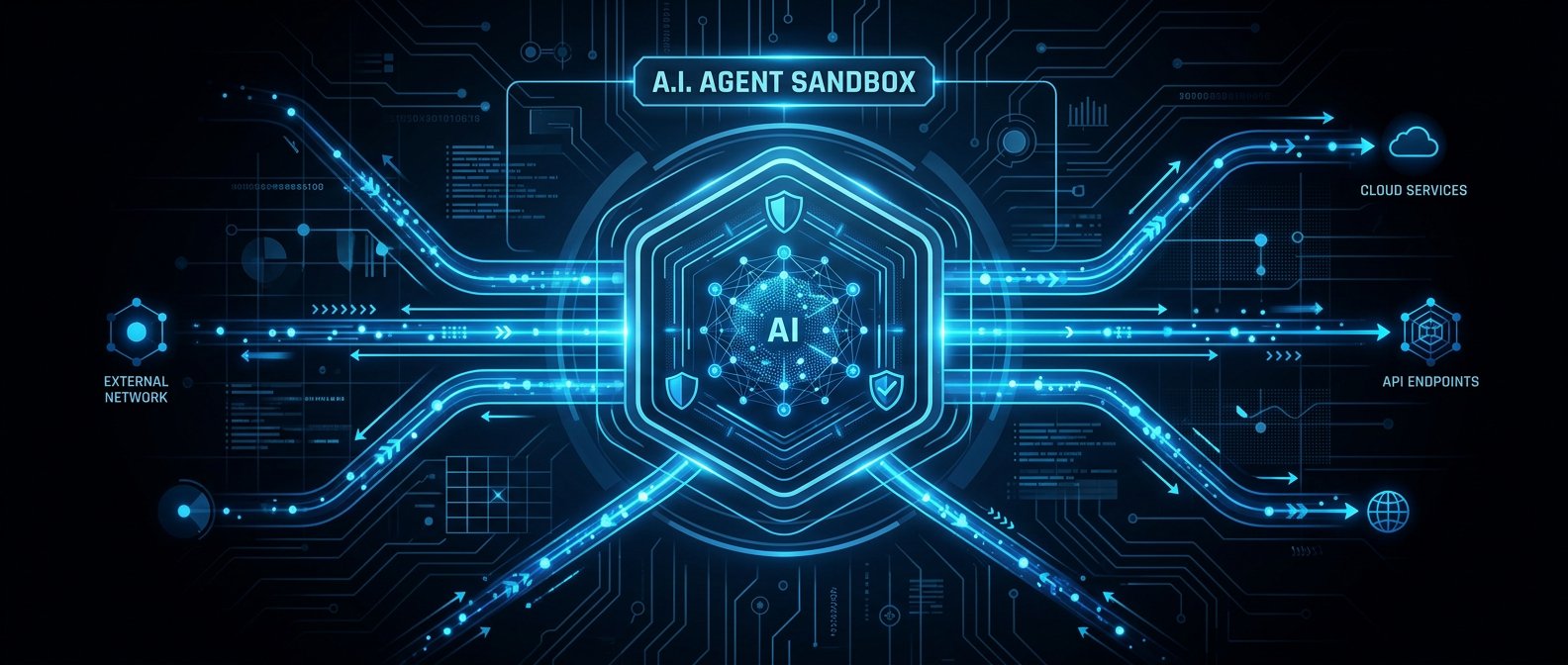
📌 本文重點
- 模型與編排托管在 Anthropic,工具與資料留在你 VPC
- 透過 self‑hosted sandbox 把程式執行權收回內網
- 用 MCP tunnel 只開安全出站連線打通內網工具
- 權限設計與審計要靠嚴格的 tools schema 與網路邊界
典型企業場景:你想讓 Claude Managed Agent 幫你跑 CI/CD、讀內網 Git、打內部 REST / Postgres API,但 不能開公網入站、不能把 Git 暴露出去。這次的 self‑hosted sandboxes + MCP tunnels 更新,基本上就是:
模型與編排留在 Anthropic,工具執行與資料存取拉回你自己的 VPC,且只用安全出站連線。
實務上等於多了一種選擇:不用把模型拉進內網自建 inference,也能在嚴格邊界內讓 Agent 控制 CI、讀 repo、查 DB。
重點說明:架構與安全邊界怎麼畫
1. Orchestrator vs Tools:誰在外面、誰在裡面?
Claude Managed Agents 大致拆成兩層:
- Orchestrator(Anthropic 端托管)
- 理解使用者意圖、規劃步驟、決定要叫哪些工具。
-
透過 MCP 協定 呼叫你定義的 tools(MCP server)。
-
Tools / MCP servers(你自己控制)
- 例如:git、CI/CD runner、Postgres、內部 REST API。
- 可以跑在 self‑hosted sandbox 裡(受控容器/VM),或直接在你內網 VPC。
💡 關鍵: Orchestrator 永遠只看得到你暴露出的 MCP tools 與其 I/O,真正的 Git / DB 資料面與執行權都留在你 VPC。
關鍵:Orchestrator 看不到你的 Git/DB,只能透過你暴露出的 MCP tools 操作,權限由你決定。
2. MCP 協定與 server:最小必須心智模型
MCP server 就是一個會講 JSON‑RPC over stdio / WebSocket 的後端,向 Agent 宣告自己有哪些工具。概念類似「強 typing 的 function calling」。
一個簡化版的 MCP server schema(YAML)可能長這樣:
name: corp-dev-tools
version: 0.1.0

tools:
  - name: git_read_file
    description: 讀取內部 Git repo 某個檔案內容
    input_schema:
      type: object
      required: [repo, path, ref]
      properties:
        repo: { type: string }
        path: { type: string }
        ref:  { type: string }

  - name: ci_trigger_pipeline
    description: 觸發 CI pipeline,只能在 allowlist 專案上執行
    input_schema:
      type: object
      required: [project, branch]
      properties:
        project: { type: string }
        branch:  { type: string }
Agent 端會看到 明確的工具清單與參數結構,再決定何時呼叫。
3. Self‑hosted sandbox:把「程式執行權」留在自己這邊
self‑hosted sandbox 解決的是:「我不想讓 Anthropic 直接在他們 infra 上跑 shell / Python,請改在我 VPC 裡跑」。
實作上可以是:
- 一個專用 k8s namespace 或 Fargate / VM,跑 Anthropic 提供的 sandbox runtime。
- Agent 要執行程式碼(例如跑單元測試、lint、git 操作),會透過安全通道把 code / 指令丟到這個 sandbox。
典型邊界設計:
- sandbox 只能出站連到:
- 你的 Git / CI / DB / 內部 API
- Anthropic 的 MCP tunnel endpoint
- 不能直連其他敏感系統(或至少預設 deny)。
實際好處: Agent 可以幫你跑
pytest、打 CI webhook、改 Git branch,
但所有「可以執行程式碼的環境」都在你的控制下,方便做防火牆、資安掃描、審計。
4. MCP tunnels:如何在不開洞的情況下連到內網
MCP tunnel 解決:「我的 MCP server 在 VPC 裡,如何讓 Anthropic 托管的 Agent 打到它,但我不願意開入站 443?」
典型拓撲:
[Anthropic Orchestrator]
        ^
        | (MCP over tunnel)
        v
[MCP Tunnel Client in VPC] ----> [MCP Server + Sandbox]
          (outbound TLS)
關鍵特性:
- 只有 VPC → Anthropic 的出站連線(類似反向隧道)。
- 隧道建立後,Anthropic 端像是在打本地 MCP server,但實際流量是經由你建立的
mutual TLS / token隧道轉回來。 - 容易套用零信任思路:每條隧道都視為一個 identity,綁定最小權限的一組 tools。
💡 關鍵: 只用出站隧道與 mTLS,就能在不開任何入站 port 的前提下,把內網工具安全地接給 Managed Agent 用。
實作範例:VPC 內最小可行架構
場景:
- VPC 內:
- 一台 MCP server + sandbox Pod/VM。
- 連得上 GitLab、Postgres、內部
https://api.intra。 - 出站:允許打到 Anthropic 的 MCP tunnel endpoint。
1. MCP server:Git + Postgres + REST API
以 Node.js 為例(pseudo‑code):
import { MCPServer } from "@anthropic-ai/mcp-sdk";
import { execSync } from "node:child_process";
import { Client } from "pg";
import fetch from "node-fetch";

const gitAllowlist = ["service-a", "service-b"];

const server = new MCPServer({ name: "corp-dev-tools" });

server.tool("git_read_file", async ({ repo, path, ref }) => {
  if (!gitAllowlist.includes(repo)) {
    throw new Error("repo not allowed");
  }
  const base = "/srv/git/" + repo;
  const content = execSync(`git --git-dir=${base} show ${ref}:${path}`, {
    encoding: "utf8",
  });
  return { content };
});

server.tool("db_read_customer", async ({ id }) => {
  const client = new Client({
    host: process.env.PG_HOST,
    user: "readonly_agent",
    password: process.env.PG_PWD,
    database: "app",
    ssl: true,
  });
  await client.connect();
  const res = await client.query("SELECT id, name, status FROM customers WHERE id=$1", [id]);
  await client.end();
  return { rows: res.rows };
});

server.tool("call_internal_api", async ({ path, method, body }) => {
  if (!path.startsWith("/public-agent/") || method !== "POST") {
    throw new Error("not allowed");
  }
  const resp = await fetch(`https://api.intra${path}`, {
    method,
    headers: { "Authorization": `Bearer ${process.env.AGENT_TOKEN}` },
    body: JSON.stringify(body ?? {}),
  });
  const json = await resp.json();
  return { status: resp.status, data: json };
});

server.listen();
重點:
gitAllowlist:避免 Agent 任意讀所有 repo。- Postgres 使用
readonly_agent帳號,限制只讀特定 schema。 - 內部 API 降到
/public-agent/子路徑 + 專用 token。
2. MCP tunnel client:出站連上 Anthropic
實際指令會以官方 CLI / container 為主,概念配置類似:
anthropic-mcp-tunnel \
  --mcp-url=http://localhost:8000 \
  --agent-id=corp-ci-agent \
  --tls-cert=/etc/mcp/cert.pem \
  --tls-key=/etc/mcp/key.pem \
  --anthropic-endpoint=https://mcp-tunnel.anthropic.com \
  --tags=env:prod,scope:ci
在 Anthropic 控制台,你會:
- 建立一個 Managed Agent:
corp-ci-agent。 - 只綁定這條 tunnel 曝露的
corp-dev-toolsMCP server。 - 開啟前人工審閱 / 部分工具 auto‑approve(視風險)。
3. ACL 與工具權限設計
簡單的 policy‑as‑code 思路:
agent: corp-ci-agent
allowed_tools:
  - git_read_file
  - ci_trigger_pipeline
  - db_read_customer
  - call_internal_api

constraints:
  git_read_file:
    repos: ["service-a", "service-b"]
    max_file_size_kb: 256

  db_read_customer:
    max_rows: 1

  call_internal_api:
    allowed_paths:
      - "/public-agent/deploy"
      - "/public-agent/status"
你可以在 MCP server 裡讀這個 YAML,做額外校驗。不要把 ACL 寫死在 prompt 裡,防禦提示注入要靠程式碼與網路邊界。
建議與注意事項:安全坑與實務整合
1. 工具權限過大 = Agent RCE 風險
OWASP Agent Top 10 已經把 工具濫用 / 權限濫用 列為前幾名風險。常見錯誤:
- 一個 tool 可以執行任意 shell、對任何 DB 下任意 query。
- Agent 可以打到整個內網,而不是只打 CI / Git / API Gateway。
建議:
- 一個 tool 做一件小事,強 schema,避免 free‑form SQL / shell。
- DB 使用 只讀 + row‑level / column‑level policy。
- 網路上用 安全群組 / SG 把 sandbox 能打的 IP 段鎖死。
2. 審計 / Logging:要記「自然語言意圖 + 工具調用」
很多企業只有 infra log,缺少「Agent 為什麼要做這件事」的上下文。
建議最低標準:
- 針對每次工具呼叫記錄:
user_id / session_id- Agent 看到的 自然語言任務描述(可脫敏)
- 工具名稱 + input 參數(敏感欄位做 partial redaction)
- 執行結果摘要 / status code
這樣在事後對齊 OWASP 事件分析時,才能把「提示注入 → 工具濫用 → 資料外洩」串成一條 timeline。
3. 網路與認證:守住 MCP 隧道與 secrets
重點:把隧道視為一個高價值通道,跟 VPN 一樣認真看待。
具體建議:
- 隧道一律走
mTLS,cert 由內部 CA 或雲端 CA 管理。 - 隧道 client 的 API token / cert 放在 Vault / KMS,sandbox 上只拿短期 lease。
- 工具裡 不要回傳 secrets(例如整個 JWT 與 DB 密碼)到 Agent,必要時只在 server 端使用。
- 若擔心 API key 滲透,在 sandbox 層加 egress proxy,對外送出的 HTTP header 做檢查 / scrub。
4. 與 SOAR/服務目錄/Secrets 管理整合的實務問題
實務上會遇到:
- SOAR / ticket 系統:
-
建議把「開 ticket / 查告警 / 執行 playbook」封裝成 MCP tools,權限沿用既有 RBAC。
-
服務目錄(例如 Backstage):
-
MCP tools 可以讀服務目錄 API,讓 Agent 知道 repo 屬於哪個團隊、能不能改 config。
-
Secrets 管理(Vault/KMS):
- 不要給 Agent 直接讀 Vault 的能力;改由 MCP tool 在 server 端解密,對 Agent 只暴露結果(或再加工)。
5. 和「模型拉進內網自建 inference」的取捨
Managed Agent + self‑hosted sandbox + MCP tunnel:
- 優點:
- 不用自己跑 LLM cluster,只負責工具、網路、權限。
- 快速接雲端最新模型(含之後像 Mythos 這種安全模型的企業版)。
-
合規上:資料只經由 tools 進出,你可以精準監控。
-
缺點:
- Orchestrator 還是在 Anthropic,那邊仍會看到 工具 I/O 摘要。
- 對極端資料主權(完全不能出域)的場景不適合。
自建 inference:
- 優點:
-
完整掌控模型與權限,所有 token 在你網段內。
-
缺點:
- 要自己做 Agent orchestration、tooling、guardrail、OWASP Top 10 風險防護。
- 成本與維運門檻高。
如果你目前已在雲上、允許「模型在外、資料在內」,這次的 Claude Managed Agents 私有化能力 是一個相對平衡的折衷:
把最麻煩的 LLM 與 Agent orchestration 交給 Anthropic,把最敏感的程式執行與資料權限留在 VPC,用 MCP + sandbox 畫清楚邊界。
🚀 你現在可以做的事
- 在現有 VPC 內起一個簡單
corp-dev-toolsMCP server(照文中 Node.js 範例改成你公司的 Git / DB / API)- 部署
anthropic-mcp-tunnel類似的隧道 client,實測只用出站連線即可讓 Managed Agent 操作內網工具- 寫一份 YAML ACL(如文中 policy‑as‑code 範例),把 repo / DB / API 權限具體收斂後再開放給 Agent 使用
發佈留言