
📌 本文重點
- LLM/Agent 要先抽象成可替換依賴
- Prompt/Tool/Memory 行為必須版本化與可回滾
- 觀測性與成本控管是上線前必備基礎
- 單體腳本可漸進重構為 12-Factor Agents
多數 Agent demo 都卡在「好酷,但不敢上線」。12-Factor Agents 的目的,就是把 LLM/Agent 拉回正常軟體工程軌道:
– 不被單一模型綁死,支援熱切換與灰度升級
– prompt / tool / memory 都能 versioning + 測試 + rollback
– 有 token-level log、decision trace,出問題找得到責任點
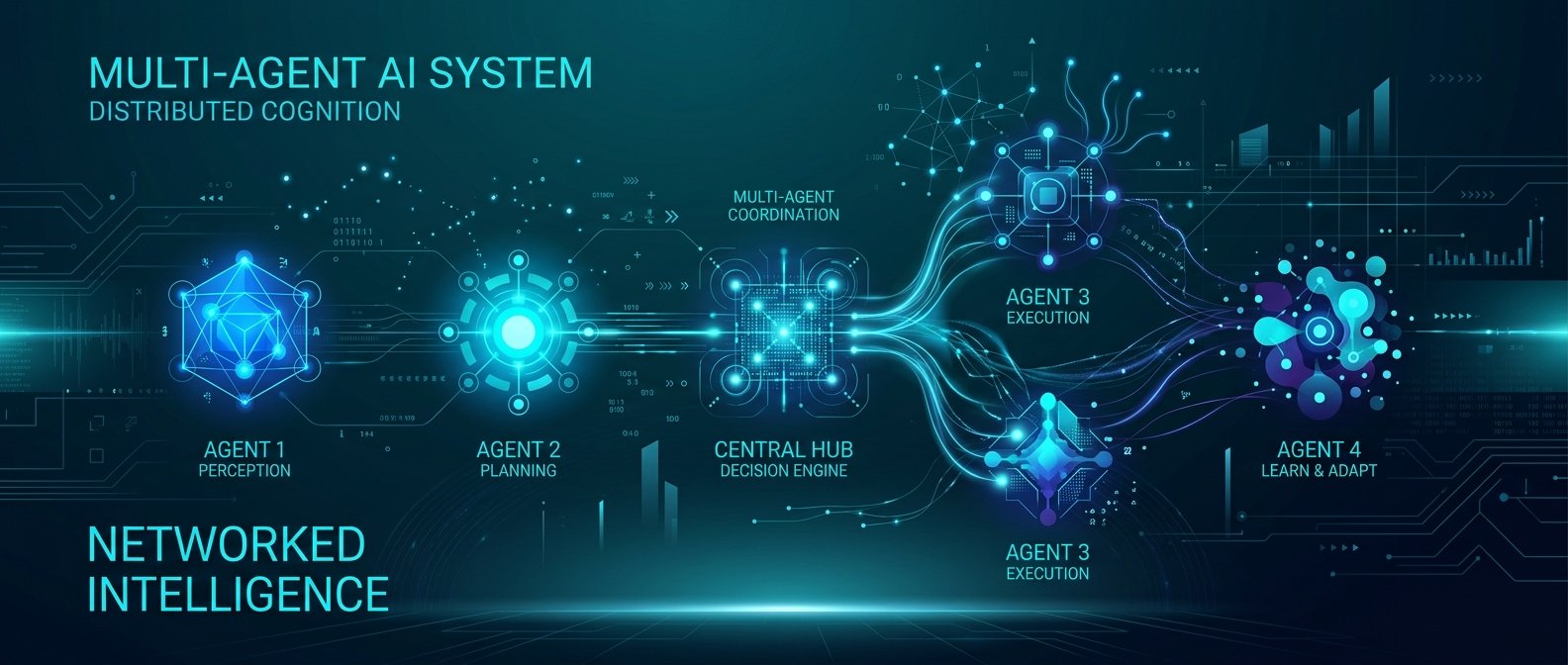
下面用 12-Factor 觀念,拆成對工程實作有幫助的 4 個面向,最後用一個簡單 multi-agent pipeline 示範如何重構。
重點說明
1. 把 LLM/Agent 抽象成可替換的依賴
核心做法:不要在業務程式碼裡直接綁某個模型 API,而是統一經過一層 LLMClient / AgentRuntime。
關鍵能力:
– 用 model alias(如 report-writer@v2)取代具體 gpt-4.1-mini / claude-3.7
– 支援 routing 策略:A/B test、流量分配、fallback
– 對外只暴露 統一介面:complete() / chat() / stream()
// llm-registry.ts
export type ModelAlias = 'planner@v1' | 'crawler@v1' | 'analyst@v2';

interface LLMConfig {
  provider: 'openai' | 'anthropic' | 'local';
  model: string;
  maxTokens: number;
  temperature: number;
}

const REGISTRY: Record<ModelAlias, LLMConfig> = {
  'planner@v1': { provider: 'openai', model: 'gpt-4.1-mini', maxTokens: 1024, temperature: 0.2 },
  'analyst@v2': { provider: 'anthropic', model: 'claude-3.7', maxTokens: 2048, temperature: 0.1 },
  'crawler@v1': { provider: 'local', model: 'llama-3-8b', maxTokens: 512, temperature: 0.3 },
};

export function getLLMConfig(alias: ModelAlias): LLMConfig {
  return REGISTRY[alias];
}
業務端只拿 alias:
// llm-client.ts
export async function complete(alias: ModelAlias, messages: ChatMessage[]): Promise<string> {
  const cfg = getLLMConfig(alias);
  const client = getProviderClient(cfg.provider); // 封裝 OpenAI / Anthropic SDK

  const res = await client.chat({
    model: cfg.model,
    messages,
    max_tokens: cfg.maxTokens,
    temperature: cfg.temperature,
  });

  return res.output;
}
好處:
– 模型升級只改 registry config,不用全 repo 改 model: 'xxx'
– 可以針對某 alias 做 灰度發布:10% 流量走新模型
💡 關鍵: 透過
model alias把模型細節藏在 registry,可以在不動業務程式碼的前提下做灰度升級與快速回滾。
2. Prompt / Tool / Memory:行為配置要能 versioning + rollout
對 Agent 而言,行為大多來自「配置」,而不是 code:
– system prompt
– tool schema / API 介面
– memory 策略(context window、摘要邏輯)
建議把這些都變成 宣告式 config,並且:
– 每個 Agent 一個 behavior version:planner@v1.3
– 行為改動先跑 離線回放測試 + 小流量試 run
# configs/agents/planner.v1.3.yaml
name: planner
version: v1.3
model_alias: planner@v1
system_prompt: |
  你是一個專門規劃網站資料收集與分析的技術 PM。
  - 只產出結構化 JSON
  - 不要寫多餘文字

output_schema:
  type: object
  properties:
    crawl_targets:
      type: array
      items:
        type: object
        properties:
          url: { type: string }
          depth: { type: integer, maximum: 2 }
          notes: { type: string }

memory:
  type: redis
  ttl_seconds: 3600
  key_prefix: planner_session_
載入時明確綁定行為版本:
// agent-loader.ts
interface AgentSpec {
  name: string;
  version: string;      // e.g. v1.3
  modelAlias: ModelAlias;
  systemPrompt: string;
  outputSchema: JSONSchema;
}

export function loadAgentSpec(name: string, version: string): AgentSpec {
  const path = `configs/agents/${name}.${version}.yaml`;
  const raw = fs.readFileSync(path, 'utf8');
  const cfg = yaml.parse(raw);
  return {
    name: cfg.name,
    version: cfg.version,
    modelAlias: cfg.model_alias,
    systemPrompt: cfg.system_prompt,
    outputSchema: cfg.output_schema,
  };
}
好處:
– prompt 調整可以 像發版一樣受控,支援 rollback
– tool schema 變更(新增欄位、型別改動)有明確 diff,避免隱性 breaking change
💡 關鍵: 把 prompt、tool、memory 行為寫進版本化 config,可以像管理程式碼一樣管控變更與回滾。
3. Observability:token-level log + decision trace + retry 策略
傳統 APM 看不到「LLM 想了什麼」。受《The Rise of Cognitive Observability》啟發,建議:
- token-level log / cost log:每次 call 記錄
prompt_tokens、completion_tokens、cost_usd。 - decision trace:multi-agent 流程中,記下每一步的:
- input
- output
- 使用的 model / behavior version
- tool 呼叫與對應結果
- 分類錯誤:
- infra error(timeout、rate limit)→ 可以 retry
- cognitive error(推理錯誤、亂寫 schema)→ 需要 prompt/tool 設計調整
// observability.ts
export async function tracedLLMCall(params: {
  agent: string;
  behaviorVersion: string;
  modelAlias: ModelAlias;
  messages: ChatMessage[];
  spanId: string;
}) {
  const start = Date.now();
  try {
    const res = await rawProviderCall(params.modelAlias, params.messages);

    logToWarehouse({
      span_id: params.spanId,
      agent: params.agent,
      behavior_version: params.behaviorVersion,
      model_alias: params.modelAlias,
      latency_ms: Date.now() - start,
      prompt_tokens: res.usage.prompt_tokens,
      completion_tokens: res.usage.completion_tokens,
      cost_usd: estimateCost(res.usage, params.modelAlias),
      raw_output: res.output,
    });

    return res.output;
  } catch (e) {
    logError({ span_id: params.spanId, agent: params.agent, error: e });
    throw e;
  }
}
重試策略:
export async function withRetry<T>(fn: () => Promise<T>, opts = { maxAttempts: 3, backoffMs: 500 }) {
  let lastErr;
  for (let i = 0; i < opts.maxAttempts; i++) {
    try { return await fn(); } catch (e: any) {
      lastErr = e;
      if (!isInfraError(e)) break; // 認知錯誤不要盲目重試
      await sleep(opts.backoffMs * (i + 1));
    }
  }
  throw lastErr;
}
4. Multi-Agent 任務重構:規劃 → 爬蟲 → 分析 → 報告
目標:把一個看似「單體腳本」的 agent 流程,拆成可觀察、可恢復的 pipeline。
服務切分:
– planner-service:輸入題目 → 輸出 crawl plan
– crawler-service:依照 plan 用傳統爬蟲抓 HTML / 文本
– analyst-service:對資料做分析與結構化結論
– reporter-service:產出自然語言報告
狀態管理:
– 任務狀態存在 PostgreSQL 或 MongoDB:tasks、artifacts
– 中間資料(暫存內容、短期記憶)放 Redis(key = task:{id}:stage)
隊列與超時:
– 使用 Redis Stream / Kafka / RabbitMQ 做 stage 間消息隊列
– 每個 stage worker 有自己的 timeout + retry + DLQ(死信隊列)
// pseudo: task Orchestrator
async function runTask(taskId: string) {
  const spanId = newSpan();

  // 1) 規劃
  const plan = await withRetry(() => plannerAgent.run({ taskId, spanId }), { maxAttempts: 2 });
  await saveArtifact(taskId, 'plan', plan);

  // 2) 爬蟲(可能 fan-out 多個 URL)
  await enqueueCrawlJobs(taskId, plan.crawl_targets); // 放到 queue

  // 3) 等 crawler 全數完成,再觸發 analyst
  await waitForAllCrawls(taskId, { timeoutMs: 300_000 });
  const pages = await loadArtifacts(taskId, 'crawl_result');

  const analysis = await withRetry(() => analystAgent.run({ taskId, spanId, pages }), { maxAttempts: 2 });
  await saveArtifact(taskId, 'analysis', analysis);

  // 4) 報告
  const report = await reporterAgent.run({ taskId, spanId, analysis });
  await saveArtifact(taskId, 'report', report);

  await markTaskDone(taskId);
}
回退策略:
– 某 stage 連續失敗 → 使用 上一個穩定 behavior version 重跑
– 報告無法產出 → 回傳「部分完成」狀態 + 中間分析結果給前端呈現
實作範例
以下示範如何把「planner」 agent 做到可替換模型、可版本管理、可觀察的最小實作。
1. Planner Agent 行為定義
# configs/agents/planner.v1.0.yaml
name: planner
version: v1.0
model_alias: planner@v1
system_prompt: |
  你負責規劃完成使用者任務所需的爬蟲與分析步驟。
  僅輸出 JSON,符合 output_schema 定義。
output_schema:
  type: object
  required: [crawl_targets]
  properties:
    crawl_targets:
      type: array
      items:
        type: object
        required: [url]
        properties:
          url: { type: string }
          depth: { type: integer, default: 1 }
          notes: { type: string }
2. 執行 Planner Agent
// planner-agent.ts
import { loadAgentSpec } from './agent-loader';
import { tracedLLMCall } from './observability';
import Ajv from 'ajv';

const ajv = new Ajv();

export async function runPlanner(taskId: string, goal: string, spanId: string) {
  const spec = loadAgentSpec('planner', 'v1.0');
  const validate = ajv.compile(spec.outputSchema);

  const messages = [
    { role: 'system', content: spec.systemPrompt },
    { role: 'user', content: `任務說明:${goal}` },
  ];

  const raw = await tracedLLMCall({
    agent: spec.name,
    behaviorVersion: spec.version,
    modelAlias: spec.modelAlias,
    messages,
    spanId,
  });

  let json;
  try { json = JSON.parse(raw); } catch {
    throw new Error('planner_output_not_json');
  }

  if (!validate(json)) {
    throw new Error('planner_output_schema_mismatch');
  }

  await saveArtifact(taskId, 'plan', json); // 存 DB
  return json;
}
好處:
– output 一旦 JSON 格式錯誤或 schema 不符合,會被明確標記為 cognitive error,方便後續調 prompt / schema
– 透過 behaviorVersion 追蹤哪一版規劃器造成問題
3. 成本暴衝防護
// cost-guard.ts
const MAX_COST_PER_TASK_USD = 0.5;

export async function guardCost<T>(taskId: string, fn: () => Promise<T>): Promise<T> {
  const costSoFar = await getTaskCostUsd(taskId);
  if (costSoFar > MAX_COST_PER_TASK_USD) {
    throw new Error('task_cost_limit_exceeded');
  }
  const before = costSoFar;
  const res = await fn();
  const after = await getTaskCostUsd(taskId);

  if (after - before > 0.2) { // 單次呼叫超過 0.2 USD
    // 觸發告警
    emitAlert({ taskId, deltaCost: after - before });
  }

  return res;
}
把 tracedLLMCall 包在 guardCost 裡,就能防止 prompt 異常導致 token 疯狂膨脹。
💡 關鍵: 設定
MAX_COST_PER_TASK_USD與單次呼叫成本門檻,可以在成本暴衝前主動阻斷與告警。
建議與注意事項
- 模型抽象層一定要一開始就設計好:
- 把 provider SDK 完全封裝起來(OpenAI、Anthropic、local),對業務端只暴露 統一型別。
-
不要在 service 裡直接用
openai.chat.completions.create這種具體 API。 -
Prompt / Tool 變更要像 schema migration 一樣看待:
- 每次變更必須 版本號 + changelog,否則 debug 會非常痛苦。
-
tool 的欄位移除或語意改變,要視為 breaking change,需要同步更新所有使用該 tool 的 Agent。
-
Observability 優先級要比「多搞幾個 Agent」高:
- 沒 trace,multi-agent 只會變成 多倍混亂。
-
最低限度:每一步的輸入、輸出、模型 alias、behavior version、token 用量都要記。
-
模型升級前先做 replay test:
-
從線上 log 抽一批真實任務,對舊模型與新模型跑一遍,對比:
- 通過率(JSON parse、schema validate)
- 任務完成率(可部分人工標註)
- 成本差異
-
不要迷信 retry,可以只是讓錯誤變貴:
- infra error(timeout、429)才值得 retry
-
cognitive error(結果不符合 schema / business rule)應該記錄下來,調整 prompt 或 tool,而不是盲目重試
-
從單體腳本往 12-Factor Agents 過渡的實務建議:
- 先做 3 件事:
- 抽出
LLMClient抽象層 - 把 prompt / schema 拉到 config + Git 管理
- 導入最小版 token cost log + decision trace
- 抽出
- 等這三件穩定後,再考慮拆成獨立 microservices 或 multi-agent pipeline。
照著這套把 demo 重構一次,你會發現:
– 模型換得比較放心
– 成本能被預期
– 最重要的是:Agent 行為變得「可觀察、可控」,才有資格進入生產環境。
🚀 你現在可以做的事
- 把現有專案中的
openai/anthropic呼叫封裝成統一的LLMClient,並導入model aliasregistry- 將目前的主要 Agent prompt、tool schema 抽出成獨立 config 檔,放進 Git 做版本管理
- 為一個關鍵任務流程加入
token用量與cost_usd的記錄,並開始對新模型做 replay test
發佈留言