📌 本文重點
- ChatGPT Work 可跨工具完成整段工作流程
- 從專案目標拆任務,做到最後產出
- 可操作 Drive、Slack、Salesforce 並追蹤進度
ChatGPT Work 是一個能跨 Google Drive、Slack、Salesforce 等工具,把一整段工作流程從「目標」做到「成果」的 AI 專案夥伴。
官方介紹頁:https://openai.com/index/chatgpt-for-your-most-ambitious-work
核心功能:從目標到成果的一條龍
1. 目標設定:先講清楚你要「完成什麼」
差別在這裡:一般 ChatGPT 回答一個問題就結束;ChatGPT Work 是從一個「專案目標」開始,自己拆成一串任務再逐一完成。
你可以這樣用:
- 在 ChatGPT 中開啟 ChatGPT Work 後,輸入一個清楚的專案目標,例如:
- 「幫我完成一份針對台灣 18–24 歲使用者的 IG 廣告市場研究,最後輸出 15 頁簡報,放在我的 Google Drive。」
- 補充背景:
- 提供既有文件連結(研究報告、上一季簡報)
- 告訴它最後交付格式(Slides、PDF、Markdown)
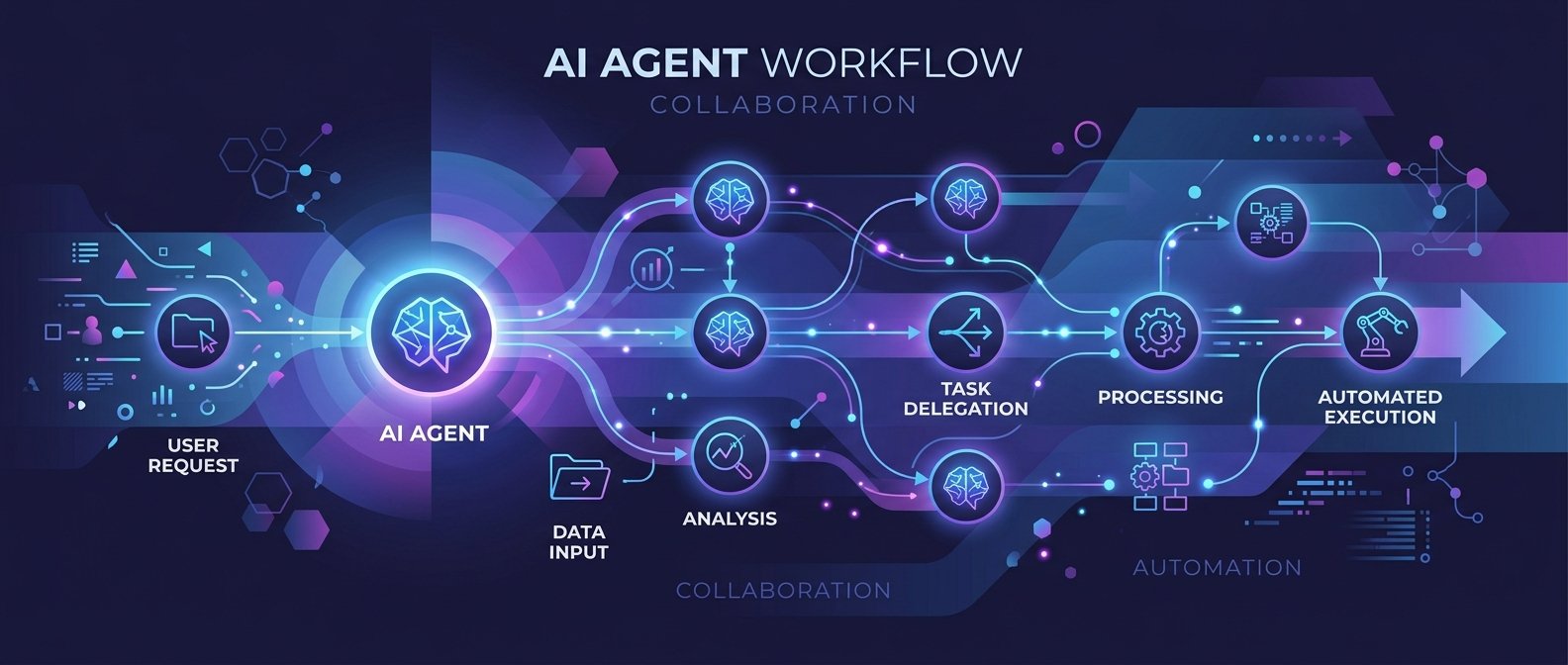
ChatGPT Work 會依目標自動拆出流程:資料收集 → 整理分析 → 撰寫內容 → 產出指定檔案。
💡 關鍵: 從「目標」出發,讓 AI 主動拆解並完成整套流程,而不是只回答單一問題。
2. 跨應用操作:直接動你的 Drive、Slack、Salesforce
根據 The Decoder 報導,ChatGPT Work 可以在你授權後操作多個常用工具:
- Google Drive:讀取文件、建立新文件或簡報、寫入內容
- Slack:整理頻道訊息、草擬公告、排程發文
- Salesforce:查詢客戶資料、更新欄位、整理銷售記錄
你可以這樣用:
- 在 ChatGPT Work 設定中連接你的:
- Google 帳號(Drive / Docs / Slides)
- Slack 工作區
- Salesforce 帳號(若公司有用)
- 定義允許的動作範圍:
- 例如:只能讀取特定資料夾、只能發文到指定 Slack 頻道
- 在對話中直接下指令:
- 「去我 Drive 的
/Marketing/2026Q3資料夾,把上一季簡報拿來當模板,產出新的簡報草稿。」
3. 長期記憶與進度追蹤:讓專案不斷線
ChatGPT Work 可以「記住」同一個專案的上下文,在幾小時甚至幾天的工作過程中維持連續性。
可做到:
- 專案狀態紀錄:它知道前一次做到哪裡、哪些子任務已完成
- 自動更新進度:在你指定的地方(例如一個 Drive 文件或 Slack 頻道)整理最新狀態
- 長期追蹤:你只要回來說「繼續剛剛那個 IG 市場研究專案」,它就接續上次的步驟
你可以這樣用:
- 建一個「專案日誌」Google Docs,交給 ChatGPT Work 管理:
- 指示:「之後所有這個專案的進度與決策,請整理成條列,持續寫進這份文件。」
- 每天收工前,問一句:
- 「今天這個專案完成了什麼?請幫我寫一段日報摘要,放到同一份 Docs。」
💡 關鍵: 讓 AI 維持專案記憶與進度,減少你在不同工具間同步與追蹤的時間。
4. 多端啟用與基本安全設定
根據 OpenAI 官方說明,ChatGPT Work 可以在 Web、手機和桌面端使用,使用前有幾個關鍵安全設定要先做。
啟用路徑:
- Web:登入 ChatGPT,切到主選單中的「Work」或「Projects」區域
- 手機 App:更新至最新版 ChatGPT App,首頁通常會多一個「Work」入口
- 桌面 App:更新後在側邊欄找到「Work」或「Agents」
基本安全設定建議:
- 權限最小化:
- 只授權必要的資料夾、頻道與 CRM 物件
- 從「只讀」開始,確認行為後再開啟「寫入」權限
- 分專案資料隔離:
- 不同客戶或產品,用不同 Drive 資料夾與 Slack 頻道
- 審核模式(如果公司政策需要):
- 設定某些操作需你手動確認(如寄出郵件、更新 Salesforce 重要欄位)
適合誰用:3–4 個實際場景
場景 1:市場研究 + 簡報一次完成
適合:行銷人、產品經理、創業團隊。
操作範例:
- 在 ChatGPT Work 建立專案目標:
- 「針對台灣大學生,完成一份 IG 廣告成效的市場研究,最後輸出 15 頁 Google Slides 簡報。」
- 授權 Google Drive,指定放檔案的資料夾
- 要求它:
- 收集公開數據與你 Drive 中舊報告
- 匯總關鍵洞察(受眾特徵、內容形式、互動率)
- 依照你給的簡報架構,填入各頁內容
- 最後你做的事情只剩:
- 打開 Slides 調整版面、補上圖片或品牌元素
💡 關鍵: 讓 AI完成「研究+整理+初稿簡報」,你只負責最後的美編與決策。
場景 2:客服 FAQ 整理與更新
適合:客服主管、SaaS 團隊、內容團隊。
操作範例:
- 授權 ChatGPT Work 讀取:
- 客服 Slack 頻道訊息或客服系統輸出的紀錄
- 既有 FAQ 文件(在 Google Docs/Drive)
- 給它明確任務:
- 「請從最近 3 個月的客服紀錄中,整理出前 50 個高頻問題,對比現有 FAQ,標記哪些需要新增、修改或合併。」
- 讓它:
- 在同一份 Docs 中新增建議問答
- 用標註方式提示你審核(例如加上『待確認』標記)
- 你只需要:
- 審核內容、修正關鍵措辭,然後發布到官網或知識庫
場景 3:團隊例行報告自動生成
適合:專案經理、主管、任何要寫週報的人。
操作範例:
- 授權它讀取:
- Slack 專案頻道訊息
- Task 工具匯出的 CSV 或報表(放在 Drive)
- 建立「週報專案」:
- 指示:「每週五下午 4 點,整理這個專案的本週進度,生成一份 Google Docs 週報草稿並貼摘要到 Slack 頻道。」
- 它會:
- 分類任務完成狀態、風險、下一步計畫
- 輸出固定格式週報(你可以先給一份模板讓它學)
- 你保留最後審核權:
- 在 Docs 上調整內容,再正式發 Slack 公告
場景 4:銷售跟進與 CRM 更新
適合:業務團隊、客戶成功團隊。
操作範例:
- 授權 Salesforce + Gmail/Slack(視你公司工具而定)
- 定義流程腳本:
- 「每當某客戶的機會階段進入『提案後等待』超過 5 天,請:
- 整理過去溝通紀錄
- 草擬一封跟進郵件
- 在 Salesforce 中更新下一步行動計畫欄位。」
- 你設定是否需要手動確認寄信與更新欄位
怎麼開始:從啟用到第一條工作流腳本
1. 用現有 ChatGPT 帳號啟用 ChatGPT Work
ChatGPT Work 建立在 GPT-5.6 及 Codex 子模型上(參考 The Verge 報導)。通常會先對付費方案或企業帳號開放,具體依你的訂閱方案而定。
基本步驟:
- 登入 ChatGPT(Web 或 App)
- 檢查你的方案是否顯示「Work」或「Projects」選項
- 若有:點進去建立你的第一個「Project」或「Work Agent」
- 依指示連接必要的外部工具(Drive、Slack、Salesforce…)
2. 設計第一條「工作流腳本」:用自然語言就夠
你不需要寫程式,工作流就是一段清楚的指示。
範例腳本(可直接改成你的需求):
目標:每週自動整理團隊專案進度並生成週報。
流程:
1. 每週五下午 3 點,檢查 Slack 頻道#proj-alpha的本週訊息與我在 Google Drive 資料夾Projects/Alpha中的任務表。
2. 用我上傳的週報模板.docx作為格式,生成一份新的週報草稿文件,放在同一資料夾。
3. 將週報重點摘要成 5 行文字,貼到#proj-alpha頻道,但不要 @channel。
4. 所有週報草稿請先標註「待審核」,不要對外分享。
實作建議:
- 先用「一次性指令」跑完整流程,看結果是否符合期待
- 再把指令存成固定工作流,設定觸發頻率或條件
- 每週調整腳本內容,讓它越來越貼近你團隊的語氣與格式
3. 搭配 Codex / ChatGPT Enterprise 的進階用法
在企業環境,ChatGPT Work 會搭配 Codex(負責理解與生成程式/腳本)以及 ChatGPT Enterprise 的權限與安全機制一起運作。
幾個進階玩法:
- 自動產生小工具腳本:
- 讓 Codex 幫你寫 Google Apps Script 或簡單 Python 程式,整合自家系統 API,然後交給 ChatGPT Work 呼叫
- 企業資料庫整合:
- 將內部知識庫(如 Confluence、Notion、內網 Wiki)接入 Enterprise 環境,讓 Work 在專案中引用正式文件,而不是僅靠網路搜尋
- 權限與審計:
- 使用 Enterprise 提供的「操作紀錄」與「權限管理」,讓所有跨工具的更新都有可追溯紀錄,符合公司合規要求
小結:先從一個「會浪費你時間的例行專案」開始
如果你還不確定要怎麼用 ChatGPT Work,建議第一個專案就選一個你每週都要重複做、但又很耗時間的任務:像是週報、簡報草稿、FAQ 更新。讓它從資料收集、整理到產出初稿都幫你跑完,你只保留最後 20% 的決策與修飾。
這樣用一個月,你會大致摸清:
- 哪些資料適合交給它讀
- 哪些步驟需要你保留審核權
- 什麼樣的腳本描述,可以讓它穩定地幫你「做到最後一哩路」。
🚀 你現在可以做的事
- 登入 ChatGPT,確認是否已開通
Work/Projects,並嘗試建立第一個專案- 選一個你每週重複執行的任務(如週報或簡報),用自然語言寫出完整工作流腳本
- 在 ChatGPT Work 中連接 Google Drive、Slack 或 Salesforce,跑一次端到端流程並微調指示